
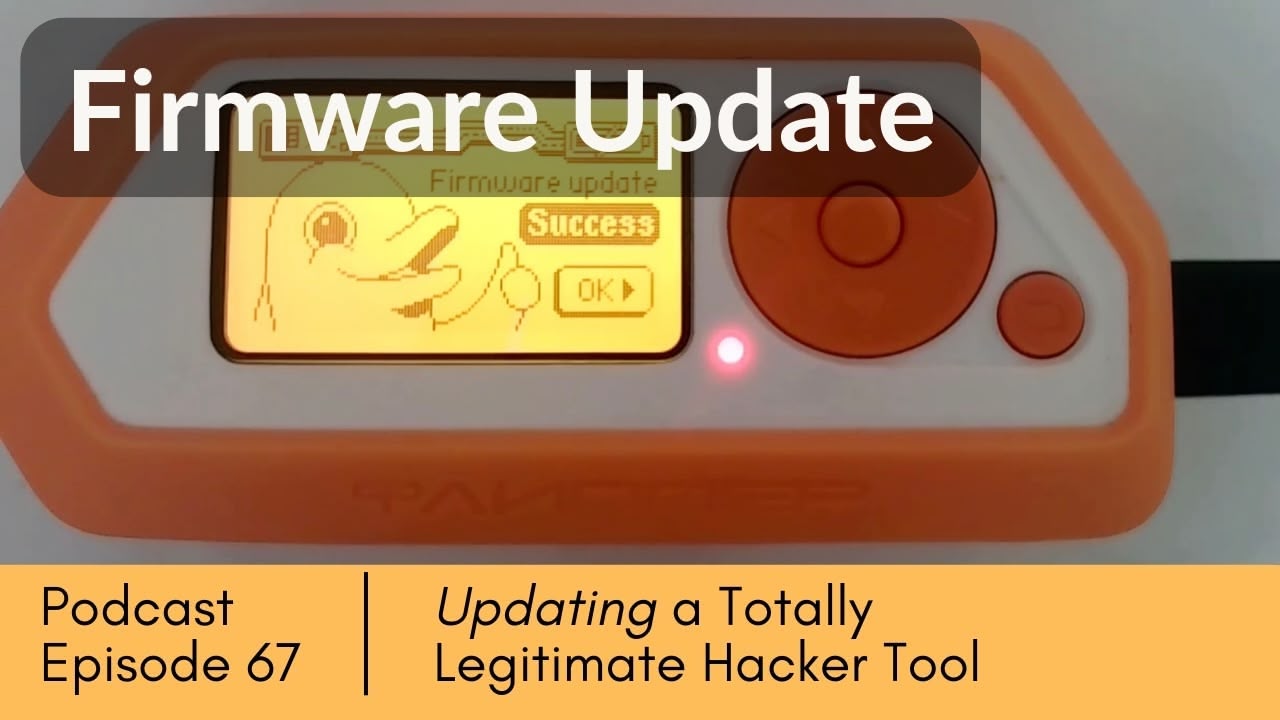
Keeping your Flipper Zero’s firmware updated is critical for security and performance—but the update process isn’t always smooth. In this episode, we’ll walk you through every step of updating your Flipper Zero firmware, including how to work through a snag you might encounter.
Whether you’re a security professional, pentester, or hardware enthusiast, regular firmware maintenance is essential for keeping your tools secure and functional. This guide shows you what it takes for the popular Flipper Zero.
Topics Discussed
- Flipper Zero Introduction and Overview
- Firmware Update Importance for Security
- Flipper Desktop App Setup
- Update Process Step-by-Step
- Troubleshooting Update Issues
- Security Best Practices and Maintenance
📝 Full Episode Transcript ▼
Joe Patti (00:01) Welcome to the Security Cocktail Hour. I’m Joe Patti.
Adam Roth (00:03) I’m Adam “Flipper Zero” Roth.
Joe Patti (00:07) Gee Adam, what are we doing today? I can’t imagine what, from what you called yourself.
Adam Roth (00:13) Well, we’re going to take one of my toys out of the toy box and we’re going to upgrade the firmware. We got an alert that it was time to upgrade firmware. We figured we’d spend this festive occasion with the rest of the people of our FINE podcast.
Joe Patti (00:29) That’s awesome, because remember, you should always keep your software or your firmware up to date.
Joe Patti (00:36) That’s just basic hygiene. We want to make sure we got good hygiene, man. That’s important.
Adam Roth (00:41) So what we didn’t say, for those who don’t know, is what a Flipper Zero is. So Joe, why don’t you tell us?
Joe Patti (00:49) Oh, is this a quiz? You’re the Flipper Zero expert.
Adam Roth (00:51) I don’t know. I mean, you can see on the screen, it’s a hardware, it’s a hack tool. People claim it could solve world hunger, it can take down entire countries. But at the end of the day, it’s really a nice little device that does whatever a laptop can do with the same functionality except portable.
Joe Patti (01:15) And it’s got a lot of different radios in it to do radio stuff and you can get apps and stuff for it that’ll do those things. And I suppose it has some sort of operating system then, and that’s more or less what we’re upgrading, the firmware, the system level stuff on it, right?
Adam Roth (01:32) So if I have a moment here, let me take a moment to bitch and complain how much work it took to set up this podcast recording just to get all the cameras in place and everything else.
Joe Patti (01:48) Yeah, I’m sure the viewers are real interested in that. And you know what, I can also gripe about what a pain in the ass it is to edit these things with all these shots, B-roll and whatnot.
Joe Patti (02:01) You know, these things were all Adam’s idea. But the problem is people like them, they do well.
Adam Roth (02:07) So let’s talk about setting up in our game.
Adam Roth (02:11) So the setup.
Joe Patti (02:12) Okay, so what do we got?
Adam Roth (02:12) Yeah, we have a flipper zero, as you can see on one of the cameras. It’s highlighted with the light on right now. At the same time, we also have, and I’ll move my screen for a second, we have the flipper zero firmware update. But it also mimics what’s going on in the flipper zero. So you can see it on the screen. And then we have the flipper zero documentation. So we’re gonna we’re gonna walk through this a little bit, Joe, and show our viewers what the flipper zero is. And again, I’m no expert at it, because I really haven’t had a chance to play with it. But we’re gonna walk through the up the update process. And it’s really not that complicated. And by the way, not only is there flipper zero firmware, but there’s other third party firmwares also out there. So there’s some interesting stuff out there.
Joe Patti (03:08) Well, I hope this isn’t that complicated, Adam, because considering it took you half an hour to set it up, just so it would connect to your laptop with that software. Hopefully, this is going to be easy.
Adam Roth (03:19) Well, let’s let’s be honest, it took 43 minutes to where we are right now. But the reason why it is complicated is we’re running multiple cameras, we’re trying to give our viewers the best possible, you know, experience. And let’s let’s follow the screen for a moment here, right? So we’re going to install, we install the q flipper zero software. And what that software does is it allows you to update the device. It’s, it can be, it can be downloaded for multiple different computers, Windows, which we had to abandon, for whatever reason.
Adam Roth (03:58) We had it works on Mac, which is what we’re on now, and it works on Linux, and it might even work on others.
Adam Roth (04:05) The key point here also is not only do we have to have the flipper zero plugged in via USB cable to the computer, but we’ll also need a micro SD card as well. So if you have a flipper zero, make sure you have a micro SD card. What do you think, Joe?
Joe Patti (04:21) I think anyone who has a flipper zero probably has a drawer full of micro micro SD cards or various other goodies and whatnot. Yeah, you need some stuff. You know what is it is so annoying when you go to do something like, Oh, I got everything. It’s cool. And then you realize it says needs this, this one stupid little thing that you didn’t have.
Joe Patti (04:43) But that only hits you the first time.
Adam Roth (04:45) So let’s go over the overview, Joe, right? We have the device information. So let’s kind of share the screens a little bit and see if we can see both.
Joe Patti (04:54) Okay, now, now I got a question here. This is interesting. I’m I’ve never seen this before. But looking at this, just that look that it’s got, you know, it looks like they’re trying to make it look like it’s one of those fancy new text interfaces. You know, that are really popular or the cool kids are using terminals now. And it looks like they’re trying to make it look like that. But this is actually a GUI, right? This is a Mac app.
Adam Roth (05:17) This is a Mac app. Yes, it is.
Joe Patti (05:19) Okay.
Adam Roth (05:20) If you look at the screen, the top right, it’s a Q flipper zero app installed one dot three dot three. And it’s great, right? If you look at the screen, we got it’s very verbose. We have the device information, what the firmware is, the build date, which means I’ve been kind of slacking a little bit there.
Joe Patti (05:39) It has Adam setting a very poor example for keeping yourself far up to date.
Adam Roth (05:43) Yeah, well, firmware. Yes, absolutely.
Adam Roth (05:47) If you look at the current firmware,
Adam Roth (05:49) it’s one dot. Well, this is the radio firmware and it’s we’re doing release one dot four dot three. So we’re going to be updated. And if you see it’s connected and the screen it’s mimicked, you can actually kind of screen out.
Joe Patti (06:04) That’s cool. That’s easier than looking at the thing.
Adam Roth (06:07) Yeah, definitely. And the thing is, the reason why they also have this is you can control your flipper zero from a computer too. So it’s pretty damn cool.
Joe Patti (06:17) Okay, can you do it wirelessly? Because I know you’re plugged in right now to do this.
Adam Roth (06:21) I’m aware of I would hope not because a lot of times with wireless. If you get a big connection, you can brick your thing and I hope not to brick it.
Joe Patti (06:31) Well, I don’t mean necessarily to update it, but I mean to remote control that you planted somewhere and you’re sitting on your laptop somewhere else controlling the thing.
Adam Roth (06:39) Yes, absolutely. Oh, I’m sure there’s it’s kind of similar to the hack five devices, you know, command and control. I’m sure there are people out there who know better than I do how to do the command and control, but you can control it many different ways.
Joe Patti (06:54) All right.
Adam Roth (06:56) So cool. So we have, it tells you the release. It tells you the name of it. It tells you how it’s connected. It tells you the updates.
Adam Roth (07:07) And let’s see if we can just hit the update button. What do you think, Joe?
Joe Patti (07:11) I don’t know. Is this going to work on the first try? Nothing has worked on the first try today. Let’s try.
Adam Roth (07:17) Ready?
Joe Patti (07:17) Let’s say it. Wait, wait. Let’s say that again because the train went by when I was talking.
Adam Roth (07:23) All right.
Joe Patti (07:23) So let’s give it a second. Give it a second.
Adam Roth (07:26) Yes, sir. Yes, sir. Yes, sir. Yes, sir. Yes,
Adam Roth (07:31) sir.
Joe Patti (07:31) All right.
Joe Patti (07:44) Well, nothing has worked the first time today yet. So hopefully we’ll have better luck with this. We’ll see.
Adam Roth (07:49) You want to give me a minute? Maybe I can go get a fire extinguisher. Let’s count down.
Joe Patti (07:58) What do they call that? Like a level 10 software error when the user is physically injured?
Adam Roth (08:08) Something like that. It might be called an extinction event. I don’t know.
Joe Patti (08:11) I don’t think this is going to launch any nuclear warheads or anything. I think it’s pretty safe. So yeah, you can hit the button.
Adam Roth (08:20) Let’s do the countdown.
Joe Patti (08:21) Actually, I’m nice and far from you. So yeah, I feel safe. I’m good.
Adam Roth (08:26) Five, four, three, two, one. Go for launch.
Adam Roth (08:33) Boom. See how it goes. See how it goes.
Joe Patti (08:35) Updating your flipper. Wow. That’s fast. Oh, that was nothing.
Adam Roth (08:41) Well, we only took 43 minutes to get to this. So let’s see how it goes.
Adam Roth (08:47) By the way, as we’re looking at this, you can also get logs.
Joe Patti (08:53) Also, when this ends up not working, you can attempt to troubleshoot it.
Adam Roth (08:57) Not me.
Joe Patti (08:59) Not you. Come on. You got to do it the new way. You just take a screenshot and give it to a chat GPT. Open a chat GPT or call it or something and say, fix this. What’s wrong?
Adam Roth (09:14) Maybe.
Joe Patti (09:16) I’ve had some success with it, believe it or not.
Joe Patti (09:19) Doesn’t always get it the first time. But whoa. What do we got there?
Joe Patti (09:24) Pop up.
Adam Roth (09:26) I think it’s just telling to continue operation.
Adam Roth (09:30) Updating recovery mode. DFU started continue hardware.
Joe Patti (09:36) Is it done?
Adam Roth (09:37) I hope it didn’t die to success.
Joe Patti (09:41) Does it say success? Where are we? Check the.
Adam Roth (09:44) It says bottom for success. But is it repair?
Adam Roth (09:50) It’s repair. I don’t know. I don’t know what happened here.
Joe Patti (09:53) This is great. We’re doing this thing trying to show people and we’re not even sure when we’re done. Well, this is in case you need to repair it. This is the repair feature.
Adam Roth (10:08) Well, I think it’s good because it’s reconnecting.
Joe Patti (10:12) Oh, that’s it. It restarts itself. It reconnects or whatever. That makes sense. Okay. So I guess when you see that little pop up on a Mac, that’s good.
Joe Patti (10:21) All right.
Adam Roth (10:22) Yeah. We wanted to show people the extra thing if you had to repair. Yeah, that was part of the script. Joe.
Joe Patti (10:26) Yeah. Yeah. That’s it. Well, wait, that didn’t mean it’s done. It’s flashing. Okay.
Adam Roth (10:34) I think it downloaded. Now it’s flashing the firmware. So let’s let’s get to the next step here.
Joe Patti (10:38) Since this video contains flashing, am I going to tell YouTube it has like explicit content?
Adam Roth (10:44) You should. But by the way, it might have also might have also wanted to repair because I put. Non-standard firmware on this originally.
Joe Patti (10:53) Oh, okay. Okay. Well, that’s good that it recovers like that. It didn’t just crash and burn and you had to talk to, you know,
Joe Patti (11:04) chat bots and everything to try to sort it out. That’s cool. I guess we’ll see if it’s cool if it actually works.
Adam Roth (11:09) It’s going to be connected in a minute because it’s going to be, it’s going to be a boot.
Adam Roth (11:15) Do not unplug the device. I see it. I see my screen flash in there. It says update. Right?
Joe Patti (11:26) Well, your screen, the computer and the app is saying, exiting recovery mode and the device is saying updating. I don’t know.
Adam Roth (11:35) Yeah. Field to right.
Joe Patti (11:37) Oh, I knew it. I was just going to say this doesn’t look good. And we got operation error.
Joe Patti (11:43) Connect your, I think you bricked it.
Adam Roth (11:52) That’s not good.
Joe Patti (11:53) That’s not good.
Adam Roth (11:55) It says updating.
Adam Roth (11:57) See what happens. Yeah, we’ll see.
Joe Patti (12:01) It
Adam Roth (12:06) looks like it’s still moving on the screen, right?
Joe Patti (12:11) Yeah, it’s still going.
Adam Roth (12:15) Look, this might be useful to somebody.
Joe Patti (12:19) Yeah, we’ll post this as don’t do this. How not to update your flipper. There it is. Oh, it’s back. Okay, it’s back. No updates. Success. Success.
Joe Patti (12:30) Wait,
Joe Patti (12:32) check the numbers. See if the software number changed to the firmware version.
Adam Roth (12:37) Yes, sir. Sorry, sir. Yes, sir. You know, I can’t assume anything. God. I’m taking a screenshot for, for, for, it’s like, it’s like you work for me again. I gotta be like, did you check this? Did you check this? Yes, sir. Sorry. 1.4.3.
Joe Patti (12:38) December
Adam Roth (12:48) 4th is a build date, 2.025.
Adam Roth (12:54) I guess that’s the latest one. So it came out recently, 98% installed. No updates needed. And we can play. All right. Another success from the security cocktail labs. Oh, that’s right. And, and we can play.
Adam Roth (13:10) Coming soon is security academy, security, security mixologist academy, where you can take courses online. Let’s throw that in there. We’re working on training. Maybe we’ll do a course on how to update a flipper zero right the first time. Correctly, yeah, correctly. We’ll see. Okay, now we’re going to do a quick update.
Joe Patti (13:28) I got a question for you. I got a question. It’s plain old, these cute little animations and whatnot. Can you run doom on this thing? I don’t know. I’ve never tried. I defer to somebody else. Want to play a game? Yeah, it has games. Of course. Oh yeah, let’s see a game. Snake. Oh, I remember snake game. Snake game. That’s where you have to move the game.
Joe Patti (13:35) And you have to connect it to your home.
Adam Roth (13:37) Hold on. You never played this before? Okay. You have to keep on chasing it.
Adam Roth (13:56) It gets bigger. I mean, how probably when I was like 15, I mean. 15? I put, wow, you’re old. Yeah, I’m old. Oh, I’m old. Yeah, I’m old.
Joe Patti (14:11) Oh, there is a Doom flipper zero edition. Yeah, probably with different firmware games infrared. It says it’s an attempt, but that’s pretty cool. I knew someone had to try this. I mean, I’m old.
Adam Roth (14:17) Yeah, probably with different firmware games infrared.
Joe Patti (14:22) It says it’s an attempt, but that’s pretty cool. I knew someone had to try this.
Joe Patti (14:29) This is like required.
Adam Roth (14:32) I mean, this is try one more thing for the hell of us since we’re ready here. I’m gonna turn on a TV or something.
Adam Roth (14:37) Keynote keyboard, media, mouse clicker, Bluetooth, I’m period.
Joe Patti (14:45) Are you sure you want to you want to try this because it I don’t want to spend another 45 minutes setting up again if you nuke your whole setup there.
Adam Roth (14:54) No, that’s fine. It’s good. Yeah, this is it. This is it. It looks well.
Adam Roth (14:58) All right,
Joe Patti (15:00) that’s cool. So what are we gonna do with this? What’s your next project with this thing? You gotta like unlock the neighbor’s cars or something?
Adam Roth (15:07) I’ll do something simple. Just copy the garage door open and open. My name is garage from my house and laugh. Is that bad?
Joe Patti (15:17) Well, you can have a little fun with people. Why not?
Adam Roth (15:20) Yeah, but my neighbors might take out a bath to me. So you never know.
Adam Roth (15:24) Well,
Joe Patti (15:26) you’re in you live in a rough neighborhood. What can I say?
Adam Roth (15:29) Yeah, but that’s it. I mean, it’s pretty cool when you look at it. And it’s very, I like the fact that you can control things, you know,
Adam Roth (15:40) you can control the device from the computer, but yeah,
Joe Patti (15:43) oh, it’s got a mouse jiggler. Now that’s useful.
Adam Roth (15:46) Yeah, it’s worth the price right there.
Joe Patti (15:50) Exactly. Exactly. Nice. So now remember, this is a totally legitimate hacking tool. We do not condone the use of mouse clickers, but you could use this to test an anti mouse clicker software or detection thing. That’s what we use hacking tools for.
Adam Roth (16:09) Oh, look, you do NFC. We’ll do that again, too. See? You can read somebody’s credit card just to see, make sure it’s working.
Joe Patti (16:15) That’s right. Make sure it’s working.
Adam Roth (16:18) That’s it. I don’t have much more, but it’s pretty cool. Okay,
Joe Patti (16:23) I am. I am impressed. You got this done. This actually didn’t take long. Pretty straightforward. Looks like this is well made. And there’s quite a community of not just a company, but a community of others behind it. So that’s slick. Oh, you know, this is so different from the old days. If you got a device like this, it used to be horrible to set up and manage and do all this stuff. This is, this is much change from the way.
Joe Patti (16:51) I think that might have been just your equipment, but
Adam Roth (16:54) that’s true. That’s true.
Joe Patti (16:56) All right. Okay, then this has been fun. Adam, thank you. I’m looking forward to the next one.
Adam Roth (17:05) We like to get
Joe Patti (17:06) some more fun stuff.
Adam Roth (17:07) We like this device.
Joe Patti (17:08) Yeah, we’ll do another hack five devices. I really like these shows because the truth is that Adam does all the work when it comes to these technical things. So yeah, do these all the time. No problem.
Adam Roth (17:19) Yes, sir. Thank you.
Joe Patti (17:20) All right. Well, thanks everyone. Hope you enjoyed this.
Adam Roth (17:24) Like and subscribe, please.
Joe Patti (17:26) That’s right. All right. Take care.
Joe Patti (17:31) Okay. Hang on.